Hierarchy
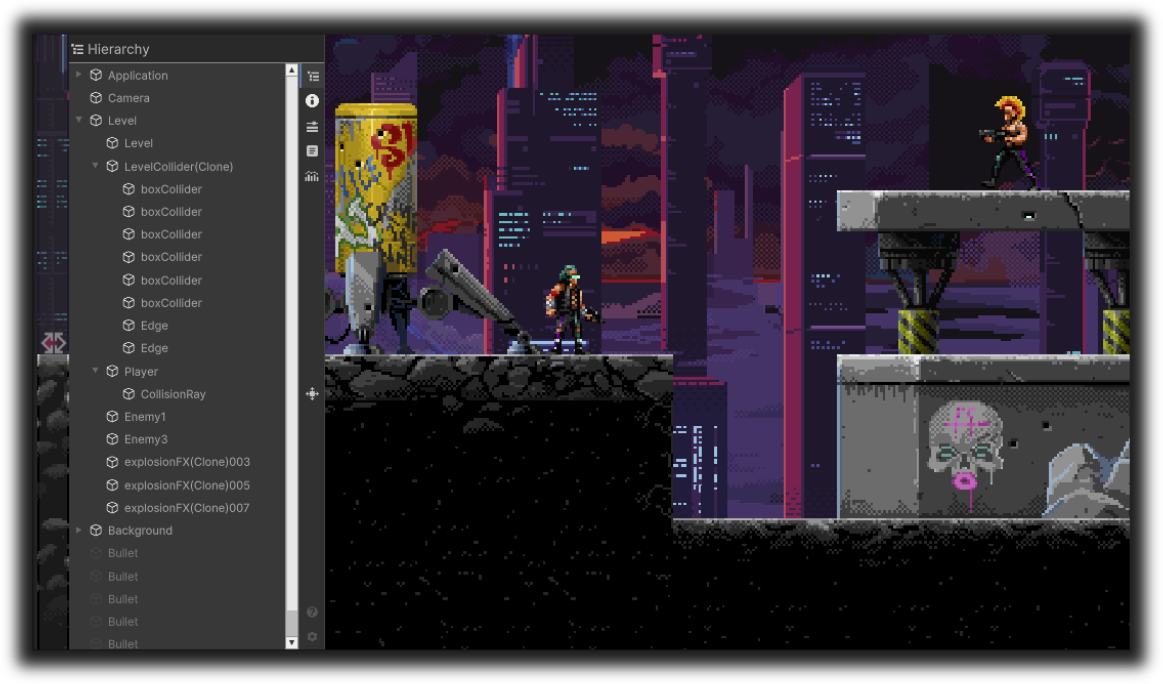
The Hierarchy feature provides a runtime scene tree view: browse all GameObjects, expand and collapse nodes, and select an object for inspection in the Inspector tab.
Overview
- Purpose: Navigate the active scene(s) at runtime and select GameObjects for the Inspector.
- UI: A tree view showing root objects and their children, with icons for active or inactive state.
- Updates: The tree refreshes when the hierarchy changes (objects added or removed, scene load or unload) and at a configurable interval while the tab is visible.
Benefits
| Benefit | Description |
|---|---|
| Device debugging | Inspect scene structure on device without the Editor. |
| Selection for Inspector | Selecting a node updates the Inspector tab with that GameObject's components. |
| Active state at a glance | Icons show whether each GameObject is active or inactive in the hierarchy. |
| Expand / collapse | Expand or collapse branches by tapping or clicking. State is preserved across refreshes where possible. |
| Multi-scene | Includes root GameObjects from all loaded scenes and their hierarchies. |